Associate Director,Gameplay Programmer,Sprite Artist
Platforms
PC
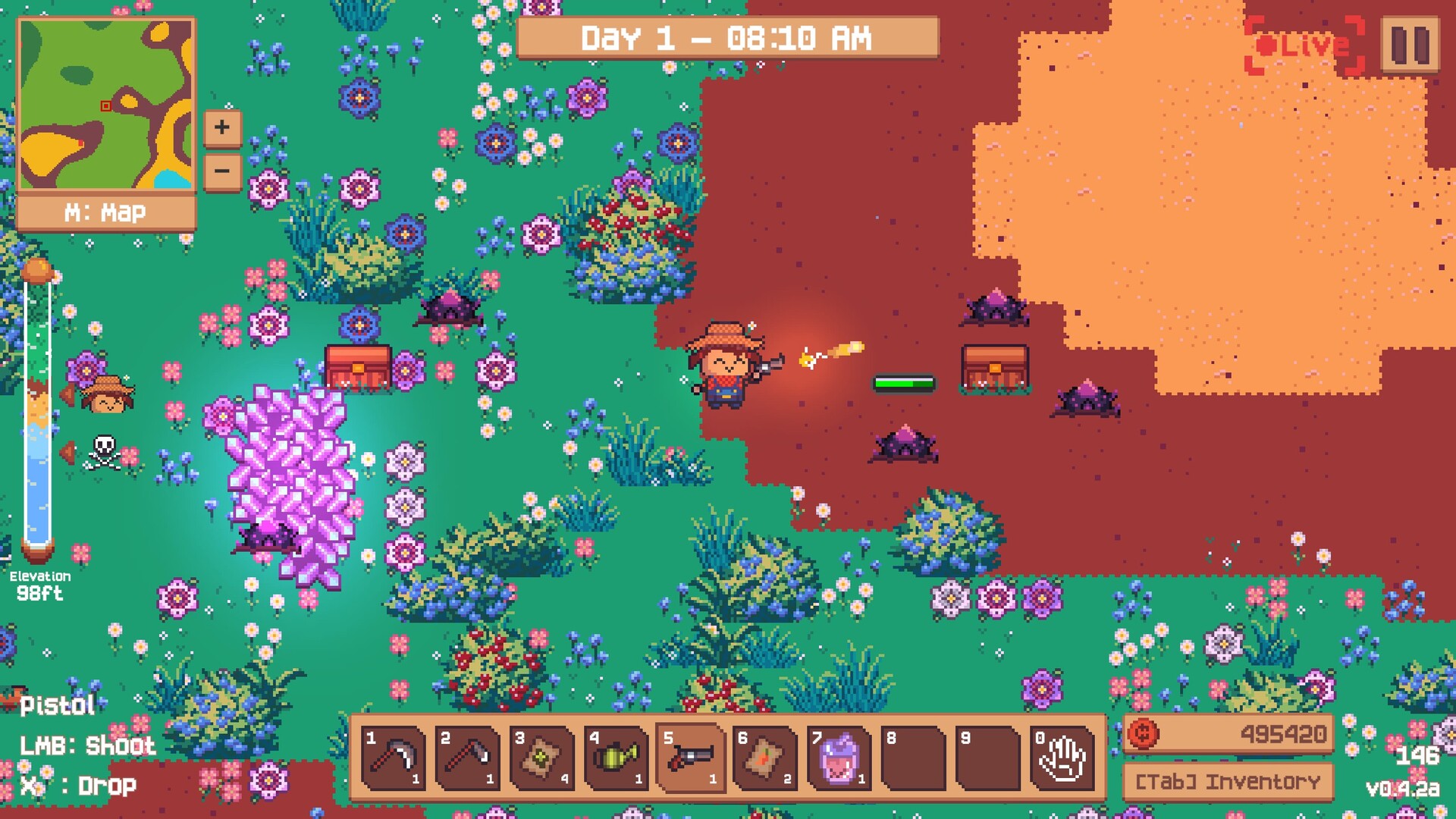
Oddinary Farm is an arcade-style co-op farming game built in Unity. The game combines classic farming mechanics with chaotic gameplay by juggling casual building with a tower defense aspect. The game is made by Spring Rolls Studio, a small team made up of college graduates.
The lead programmer is Khoa Ngyuen and the associate lead programmer is me, Ryan Carpenter. The game hosts peer-to-peer multiplayer utilizing Steamworks Facepunch and Unity's Netcode for GameObjects. The open playtest is out now on Steam!
TECHNICAL FEATURES
Peer-to-peer Multiplayer
Unity Netcode for GameObjects, transported over Facepunch (Steamworks). Networking is deeply woven through the codebase, not confined to one layer. Allows player clients to connect to a host over the internet through Steam invites. One player hosts from their own PC and friends join through Steam. Game traffic travels over Steam Datagram Relay, Valve's relay network, so nobody forwards ports and players never see each other's IP addresses.
Authority Model
Every machine runs the same simulation, so each piece of state needs exactly one machine that is allowed to change it. The game splits that responsibility three ways. The host owns the world. Each player owns their own character. Shared objects like mounts, turrets and dropped items are owned by whoever is using them, and go back to the host afterwards.
Listen-Server Architecture
Anything all players share lives on the host. The game phase, the clock, quotas and the player roster are NetworkVariables that only the server can write. Clients read them and react to their change callbacks. Server write is Netcode's default, so most declarations don't need to say it.
// PlayerManager & GameManager
// PlayerManagerprivate NetworkList<ulong> PlayerClientIds = new NetworkList<ulong>();
private NetworkVariable<int> ParticipantCountValue = new NetworkVariable<int>(
0,
NetworkVariableReadPermission.Everyone,
NetworkVariableWritePermission.Server);
...
// GameManagerprivate NetworkVariable<GameState> CurrentGameState = new NetworkVariable<GameState>(GameState.Uninitialized);
World changes travel as requests. When a player hoes the ground, their machine sends the target position to the host. The host spawns the farm plot and Netcode replicates it to everyone. Removing a plot works the same way, and the host runs its own physics lookup to find the plot, so the client only ever sends a position.
Small pieces of player-only state are owner-write NetworkVariables. These include facing direction, melee mode, the held item's modifier and the character's outfit. The held Item object only exists on the owner's machine, so the owner publishes its modifier for everyone else to render.
// PlayerController
private NetworkVariable<bool> IsFacingRight = new NetworkVariable<bool>(false, default, NetworkVariableWritePermission.Owner);
private NetworkVariable<bool> ForceMeleeMode = new NetworkVariable<bool>(false, default, NetworkVariableWritePermission.Owner);
// The held Item only exists on the owner, so every other machine reads its modifier from here.private NetworkVariable<ItemModifier> HeldModifier = new NetworkVariable<ItemModifier>(ItemModifier.NoModifier, default, NetworkVariableWritePermission.Owner);
privatevoidHandleCurrentItemChanged(Item item)
{
currentItem = item;
// Only the owner holds the Item. A changed modifier refreshes the particles through// HandleHeldModifierChanged, here and on every other machine.if (IsSpawned && IsOwner) HeldModifier.Value = item ? item.Modifier : ItemModifier.NoModifier;
}
Co-Op Over Steam Relay
The transport sits on the Network Manager prefab next to Unity's NetworkManager, and that object persists across scenes. In Awake it starts the Steam client with the game's App ID. A coroutine waits for Steam to come online and then initializes relay access early, so the first connection doesn't have to wait for it.
Async callbacks are turned off, and the transport calls SteamClient.RunCallbacks() from Update. Every Steam callback, from lobby invites to connection status changes, runs inside that call on Unity's main thread, where it can safely touch game objects.
Clients connect to a SteamID instead of an IP address, and the Steam lobby is where they find it. Pressing Host creates a lobby sized to the 16-player cap, makes it friends-only by default and names it after the host. The menu waits for the lobby to exist before it starts Netcode. Whenever the game enters a lobby, as host or as guest, it points the transport at the lobby owner's SteamID.
From the in-game lobby panel the host can switch between friends-only, public and private, copy the lobby ID to share, or open Steam's invite overlay.
Players can accept an invite, or click Join Game in their Steam friends list, at any moment, including in the middle of another match. An invite that arrives while the game is open shows a Join or Decline prompt first. The handler then leaves the current session and waits for the NetworkManager to finish shutting down. After that it joins the new lobby and sets the transport target straight from the join result instead of waiting on a second lobby callback.
// ConnectionManager
private IEnumerator JoinLobbyFromInviteCoroutine(Lobby lobby)
{
// If the player is already in a game, leave it firstif (networkManager.IsServer || networkManager.IsClient)
{
yieldreturn TransitionUI.Main.ShowCoroutine();
isDisconnecting = true;
LeaveLobby();
if (networkManager)
{
if (networkManager.IsListening && !networkManager.ShutdownInProgress)
networkManager.Shutdown();
yieldreturnnewWaitUntil(() => !networkManager.IsListening && !networkManager.ShutdownInProgress);
}
// ... load the main menu
isDisconnecting = false;
}
var joinTask = SteamMatchmaking.JoinLobbyAsync(lobby.Id);
yieldreturnnewWaitUntil(() => joinTask.IsCompleted);
// ... show an error dialog if the join faulted or was canceledvar joinedLobby = joinTask.Result;
// ... show an error dialog if the lobby is invalid// JoinLobbyAsync has already confirmed membership. Set the target directly// instead of depending on a second callback that might be delayed or missed.
SetLobbyAndTransportTarget(joinedLobby.Value);
StartGameOnlineClient();
}
Procedural Generation
The system builds a synchronized island world out of four layered Perlin noise maps (elevation, moisture, ore, and resource), then streams terrain, foliage, and resources in and out around each player in real time. Map generation is done client-side with a seed to improve performance.
A JavaScript port of the game's generator, running Spring Island's settings and rule tables. It swaps Unity's Mathf.PerlinNoise for a standard Perlin implementation, so islands follow the game's shapes and rules without matching its exact seeds. Per-prefab caps and distance bands are left out.
Noise Maps
Each game of Oddinary Farm is played on a fresh 500 × 500-tile island, and none of it is saved to disk. The server rolls four random origins, and every client rebuilds the same world from four Perlin noise maps: elevation, moisture, resource and ore. Terrain, foliage, resource spots, ore deposits and even the flood are read straight off those maps.
Raw Noise: Two octaves of Perlin noise sampled from the elevation origin. On its own it has no edges and no centre.
Island Falloff:(1 − nx²)(1 − ny²) 1 at the centre of the map and 0 along every edge.
Elevation: The noise blended 80% toward the falloff and clamped to 0–1. The ring marks the highest tile, which anchors the spawn area.
Terrain: Every tile's elevation looked up in Spring Island's eight terrain bands.
Moisture: Five octaves raised to the 4th power. Almost every value lands below 0.2, so this view is brightened 5×.
Foliage: Moisture bands pick 1×, 2× or 3× density. Green tiers grow on land and blue tiers on the seabed. Resource peaks and ore tiles stay clear.
Resource Peaks: Tiles holding the highest resource value within 3 tiles. Every other tile is set to 0.
Ore Clusters: Bright tiles passed the threshold and the cluster filter. Dim tiles passed the threshold but were filtered out. The dark disc in the middle is the dead zone.
Combined Maps: Terrain and foliage, with resource spots as dots and ore deposits in cyan, under the selected water level. The square is the no-resource zone around spawn.
One Seed Per Layer
Only the server rolls dice. It picks a random origin for each layer and stores it in a NetworkVariable. Clients wait until all four origins arrive, then generate the maps locally. Four pairs of integers cross the network instead of a quarter of a million tiles, and every player ends up on the same island.
// WorldGenerator
if (IsServer)
{
// ...
ElevationMapOrigin.Value = new Vector2Int(Random.Range(-10000, 10000), Random.Range(-10000, 10000));
ResourcesMapOrigin.Value = new Vector2Int(Random.Range(-10000, 10000), Random.Range(-10000, 10000));
MoistureMapOrigin.Value = new Vector2Int(Random.Range(-10000, 10000), Random.Range(-10000, 10000));
OreMapOrigin.Value = new Vector2Int(Random.Range(-10000, 10000), Random.Range(-10000, 10000));
}
yieldreturnnewWaitUntil(() => ElevationMapOrigin.Value != Vector2Int.zero);
...
// Initialize the maps
elevationMap.SetMapOrigin(ElevationMapOrigin.Value);
elevationMap.GenerateMap(mapSize);
BuildFloodElevationMap();
resourceMap.SetMapOrigin(ResourcesMapOrigin.Value);
resourceMap.GenerateMap(mapSize);
moistureMap.SetMapOrigin(MoistureMapOrigin.Value);
moistureMap.GenerateMap(mapSize);
oreMap.SetMapOrigin(OreMapOrigin.Value);
oreMap.GenerateMap(mapSize);
Fractal Perlin Noise
All four layers extend one base class, PerlinNoiseGenerator. It sums several octaves of Mathf.PerlinNoise, each at a higher frequency and a lower amplitude, normalises the total back to 0–1 and raises it to an exponent. Subclasses override GetValue to shape individual samples and TransformMap to post-process the finished grid.
// PerlinNoiseGenerator
privatefloatGetNoise(float x, float y, Vector2 origin, Vector2 dimension,
float scale, int octaves, float persistence, float frequencyBase, float exponent)
{
float xCoord = origin.x + x / dimension.x * scale;
float yCoord = origin.y + y / dimension.y * scale;
var total = 0f;
var frequency = 1f;
var amplitude = 1f;
var maxValue = 0f;
for (int i = 0; i < octaves; i++)
{
total += Mathf.PerlinNoise(xCoord * frequency, yCoord * frequency) * amplitude;
maxValue += amplitude;
amplitude *= persistence;
frequency *= frequencyBase;
}
return Mathf.Pow(total / maxValue, exponent);
}
Inventory System
The inventory holds everything a player carries in Oddinary Farm: tools, seeds, crops, weapons and the items bought from vending machines. It is a 30-slot bag owned by one networked component, drawn by a small set of uGUI scripts, and filled by world drops that the server assigns to one player at a time. Dynamic and scalable slot-based inventory system akin to Minecraft's system. Items are data-driven and situational. The player can perform a variety of actions depending on the item, including placement, combat, and buffs.
Inventory Slots and Hotbar
Every slot lives in one array, InventorySlot[30]. Slots 0 to 9 are the hotbar and slots 10 to 29 are the backpack, so moving an item between them is an ordinary swap. Slot 0 always holds the Hand. Selecting an empty slot falls back to it, so the player is never holding nothing.
Players can mark hotbar positions as quick slots. The mouse wheel then cycles through only the marked positions, and the choice is saved to PlayerPrefs as a 10-bit mask.
// PlayerInventory.cs
///<summary>Local, persistent hotbar positions included in mouse-wheel selection.</summary>publicsealedclassQuickSlotSelection
{
publicconstint SlotCount = 10;
privateconstint AllSlots = (1 << SlotCount) - 1;
privatereadonlystring preferenceKey;
privateint mask;
// ...publicintNextIndex(int currentIndex, int direction)
{
if (direction == 0) return currentIndex;
int step = direction > 0 ? 1 : -1;
int index = currentIndex >= 0 && currentIndex < SlotCount
? currentIndex : (step > 0 ? SlotCount - 1 : 0);
for (int i = 0; i < SlotCount; i++)
{
index = (index + step + SlotCount) % SlotCount;
if (mask == 0 || IsSelected(index)) return index;
}
return currentIndex;
}
}
Item Data
Each item type is an ItemProperty ScriptableObject that defines its name, icon, prefab, stack size, price and sounds. Every copy of the item shares those values. Anything that can differ between two copies of the same item, its modifier and its remaining durability, goes in a small ItemStatus struct instead. That struct travels with the item from the loot roll to the ground, into the bag, and back out when the item is dropped.
ItemStatus: Modifier, durability, whether the modifier was rolled.
InventorySlot: The live Item instance and a count.
// PlayerInventory.cs, ItemStatus.cs
[System.Serializable]
publicstruct InventorySlot
{
public Item Item;
publicuint Count;
public ItemProperty Property => Item?.BaseProperty;
publicbool IsFull => Item != null && Count >= Item.BaseProperty.MaxStack;
publicbool IsEmpty => Item == null || Count == 0;
publicInventorySlot(Item item, uint count = 1)
{
Item = item;
Count = count;
}
}
...
[Serializable]
publicstruct ItemStatus : INetworkSerializable, IEquatable<ItemStatus>
{
// True once this item has been through the modifier roll. Prevents a Broken pistol// from rerolling into a Pristine one every time it is dropped and picked back up.publicbool ModifierGenerated;
public ItemModifier Modifier;
publicbool HasDurability;
publicint Durability;
// ...publicbool HasModifier => Modifier != ItemModifier.NoModifier;
publicbool IsDepleted => HasDurability && Durability <= 0;
publicvoidNetworkSerialize<T>(BufferSerializer<T> serializer) where T : IReaderWriter
{
serializer.SerializeValue(ref ModifierGenerated);
serializer.SerializeValue(ref Modifier);
serializer.SerializeValue(ref HasDurability);
serializer.SerializeValue(ref Durability);
}
// ...
}
Object Pooling
Oddinary Farm creates and removes objects constantly. Bullets fly every time someone fires, terrain tiles and foliage stream in and out as players walk the map, and item drops have to appear for every player in an online session. Creating each one with Instantiate and removing it with Destroy causes garbage collection spikes, and for networked objects it also sends a spawn and a destroy message to every client. The game avoids both by keeping finished objects around, switched off, and handing them out again the next time something asks for that prefab.
LocalObjectPooling vs NetworkObjectPooling
Some objects only exist on one machine, like a projectile or a terrain tile. Others belong to the server, and every client has to agree on them. Those needs pull in different directions, so the project has two pools that share the same Spawn and Despawn shape.
Local Object Pooling: Runs on each machine/client independently and consists of projectiles, terrain tiles, foliage, vfx, and UI popups.
Network Object Pooling: Runs on the server only and consists mainly of item drops.
Pooled Object GUID
A spawned instance has no reference back to the prefab it came from, so each pooled prefab stores its own ID. A context-menu command writes a fresh GUID into the prefab and records an Undo step, so it behaves like any other Inspector edit. The ID survives renames and folder moves, which a prefab name would not.
// LocalObjectController.cs
[SerializeField]
privatestring guid;
publicstring Guid => guid;
#if UNITY_EDITOR
[ContextMenu("Generate GUID")]
publicvoidGenerateGUID()
{
guid = System.Guid.NewGuid().ToString();
// Record object state for undo functionality and mark as dirty
Undo.RecordObject(this, "Generate GUID");
EditorUtility.SetDirty(this);
}
#endif
Both controllers log an error in Awake when the GUID is empty, so a prefab that skipped this step gets flagged the first time it is used.
Mount System
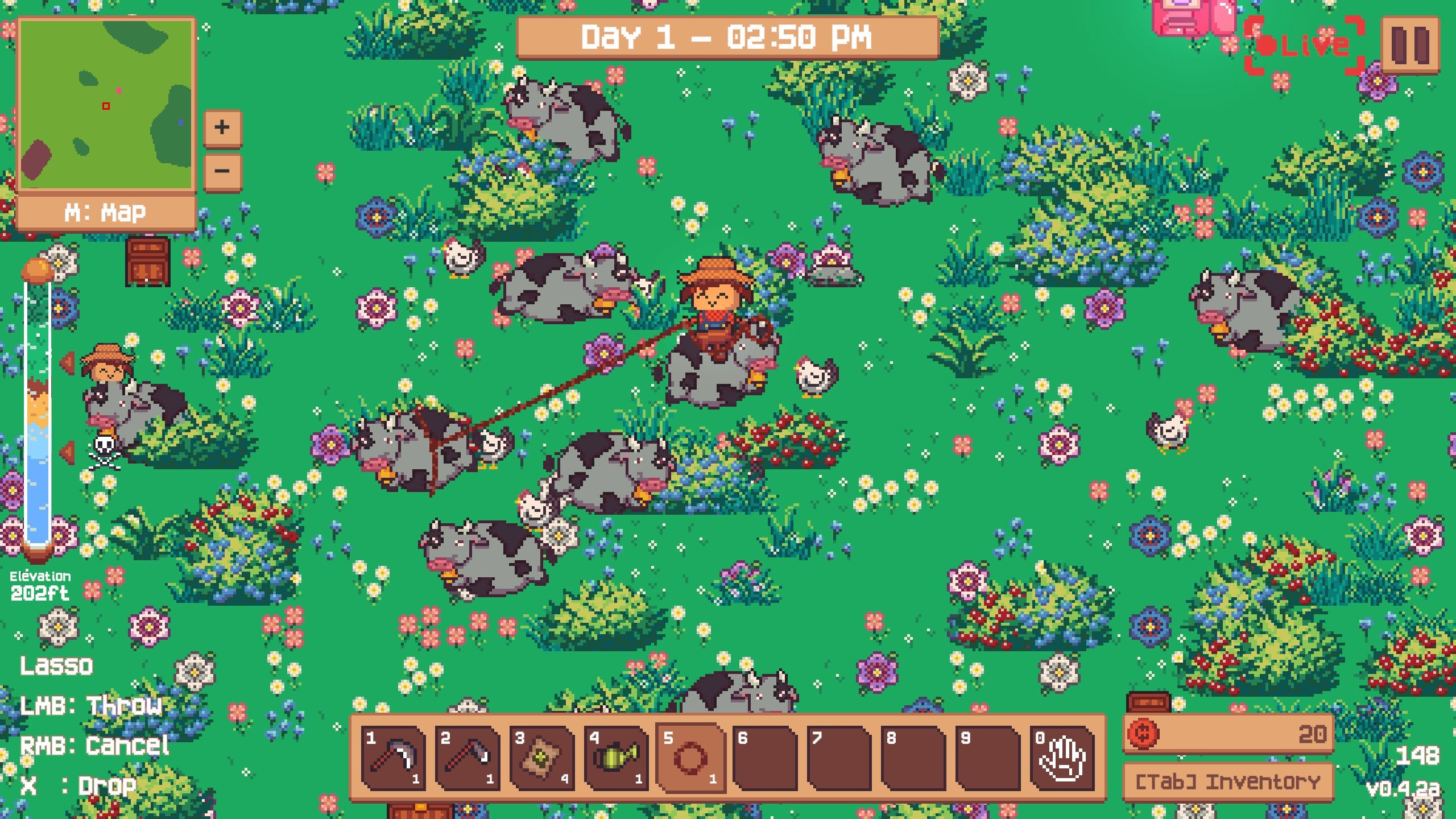
Players can saddle certain entities and ride it around the farm. All use a custom networked mount system. The mount tracks who is riding, the rider's own client steers, and the server approves every change.
Riding touches input, physics, networking, the camera and the UI, so the work is split across five components. Two paths run through them: one decides who is riding, the other carries movement input. PlayerMountHandler is where they meet.
MountInteraction stores the rider in a single NetworkVariable that only the server writes. Mounting sets it, dismounting clears it, and everything else (parenting, ownership, physics, the camera, the interaction prompt) happens as a reaction to that value changing. There is no second message announcing a mount that could arrive out of order.
Running the handler once at spawn covers players who join mid-game. They see existing riders already seated.
// MountInteraction.cs
// Network variable to store the current owner of the mountprivate NetworkVariable<NetworkObjectReference> CurrentOwner = new NetworkVariable<NetworkObjectReference>();
publicbool HasOwner => CurrentOwner.Value.TryGet(out NetworkObject _);
publicoverridevoidOnNetworkSpawn()
{
CurrentOwner.OnValueChanged += HandleCurrentOwnerChange;
HandleCurrentOwnerChange(default, CurrentOwner.Value); // Initialize the current owner state, even for late joiners
}
Economy
The game economy revolves around a daily bill. Crops drop coins, the team spends them on seeds, tools and buildings, and every day ends with a quota the farm has to pay to stay in business. Players who reach the end escape with what's left in their wallet and put it toward a debt of 999 trillion coins that carries over between runs. This section follows the money from a coin hitting the ground to the Steam leaderboard.
Coin Currency
A coin is an ordinary item. CurrencyProperty extends the same ItemProperty base as seeds and tools, so a crop lists coins in its drop table like any other loot, and they spawn, scatter and despawn through the same item pipeline. Pickup is the only special case: instead of taking an inventory slot, the coin's value goes straight to the wallet and pops up in the coin's own color.
// CurrencyProperty.cs
[CreateAssetMenu(fileName = " Property", menuName = "Scriptable Objects/Item/Currency")]
publicclassCurrencyProperty : ItemProperty
{
[Header("Currency Settings")]
[SerializeField]
privateuintvalue;
[SerializeField]
private Color color;
publicuint Value => value;
public Color Color => color;
}
Ultimately the decision was made for the entire team to share earnings; this ensures multiple roles are viable regardless of how much they earn (farming, exploring, fighting). The server holds one number, GlobalWallet: every coin anyone has brought onto the farm. Each client keeps a private record of what it has spent and lost. A player's spendable balance is the team's income minus their own outgoings.
// WalletManager.cs
[SerializeField] private NetworkVariable<ulong> GlobalWallet = new NetworkVariable<ulong>(0);
[SerializeField] privateulong personalCoinsSpent = 0;
// Penalties (a death, the vacation curse) leave the wallet too, but they are losses, not spending.
[SerializeField] privateulong personalCoinsPenalized = 0;
publiculong LocalWalletValue => GlobalWallet.Value - personalCoinsSpent - personalCoinsPenalized;
Nobody splits loot, two players can never race for the same coin, and a purchase doesn't wait on the server because it only changes a local number. The catch is that every player can spend the whole team's income. The game pays for that by multiplying prices by the number of players, and the daily quota grows the same way.
A new player also brings starting money. The server adds 150 coins whenever the player count reaches a new high, and only then, so leaving and rejoining can't print money.
A time scale that affects the day/night cycle of the game. This changes the state of the game and the events that happen. One in-game day lasts 6 real minutes. Players farm during the day (about 5 minutes). Then night falls and ShowTime begins: a one-minute rush where creatures attack the farm. The clock controls lighting, weather, music, crop behaviour, creature AI and the daily coin quota. Because the game is online co-op, every player has to see the same time.
THOUGHTS & REFLECTION
What was my role in this project?
I hopped on this project back in August of 2025. A very good friend of mine was the director of the game and decided to make me an associate director due to my previous experience working with games. As associate director I handled reviewing design documentation, making tasks for developers and artists, and overseeing codebase changes through Git. In addition to this responsibility I also programmed some systems including the mounting system, procedural generation, UI, and some aspects of the lobby system. I also helped pitch the game at Keadim Indie Showcase, an event at 2026 GDC, which ended up winning an award for best pitch.
What did I learn
This was my first large-scale project where real stakes were involved. I took my role seriously and organized design meetings and tasks for developers alike. My biggest takaway was learning to do what was best for the game not just what looked good to me. This was also my first introduction to multiplayer programming which became a core personal interest.
What would I change.
With more time and experience, I would have decoupled more of the multiplayer code from the engine code. Since our game was peer-to-peer only aspects of the game that are essential for other client simulations should be sent over the network.